![meddicc-logo.svg]](https://meddicc.com/hubfs/website/images/vectors/meddicc-logo.svg)
Accessing Opportunity Manager
To access Opportunity Manager, open mOS and on the left side of the platform, you’ll see a new menu tab: Opportunities, in your mOS Accounts.
Opportunity List Page
When users open Opportunities, they land on the Opportunity List Page, where they can:
- View all opportunities with MEDDPICC elements visible
- Filter and prioritize which deals to focus on
- Update MEDDPICC element strength directly from the list
MEDDPICC element states:
- New opportunities show elements in white (not evaluated yet)
- Once an element is given a strength, it cannot return to white
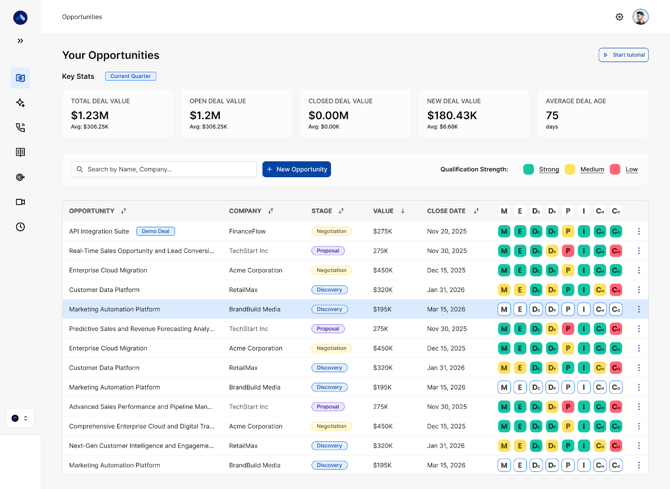
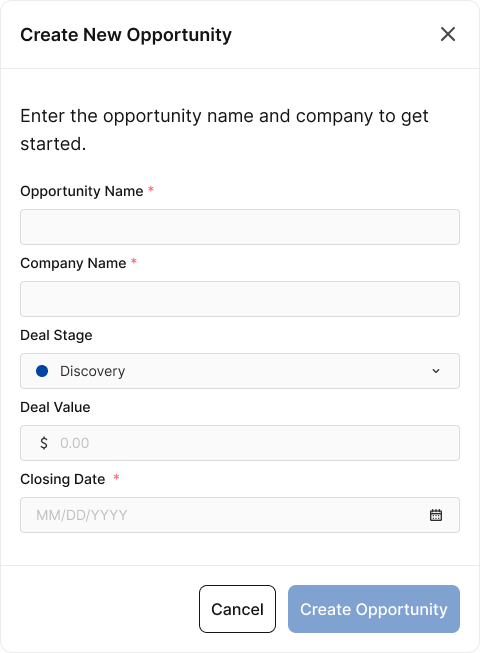
New opportunities can be added in two ways:
- Through the CRM (if CRM integration is enabled)
- Using the New Opportunity button (if no CRM integration)
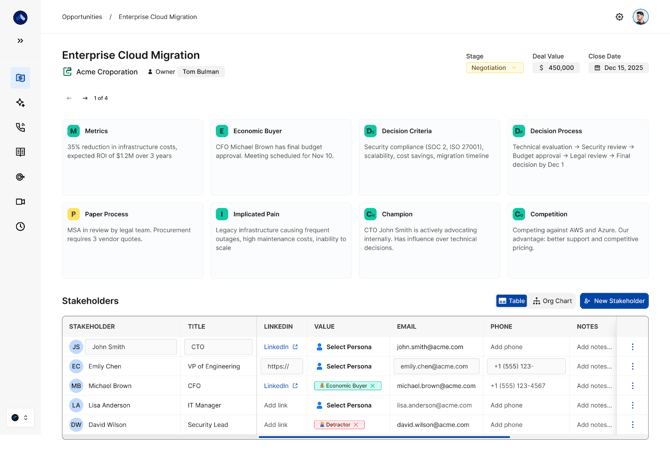
When a user selects an opportunity, they enter the Opportunity Details Page, split into three areas:
1. Opportunity Parameters - Users can view and edit opportunity details such as:- Opportunity name
- Stage
- Value
- Close date
If the opportunity is CRM-synced, updates in mOS will reflect in the CRM.
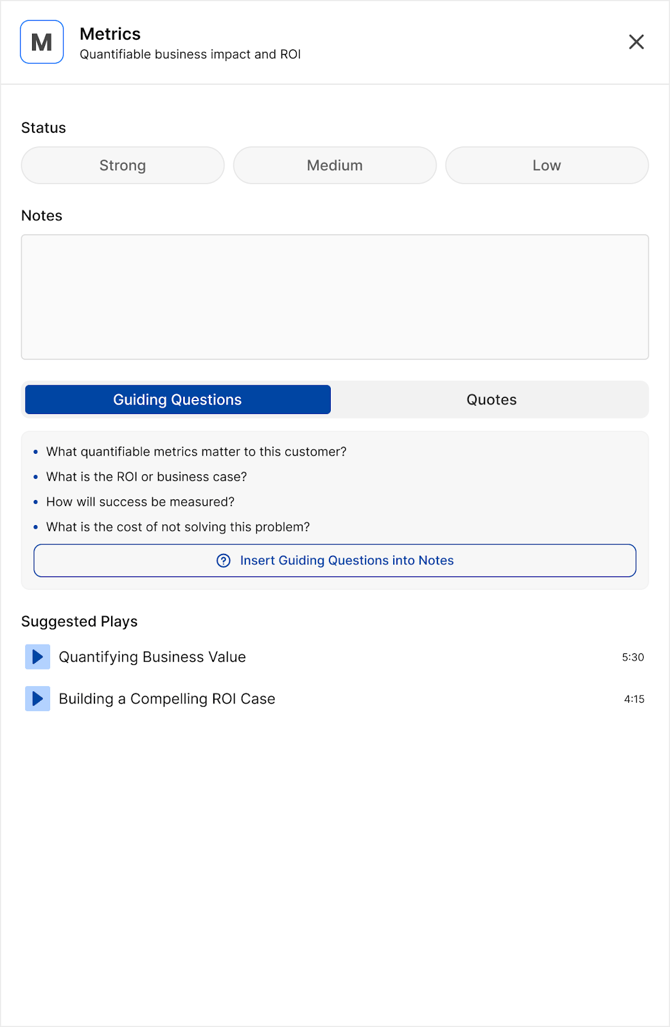
2. MEDDPICC Elements Panel - Users can view and update MEDDPICC elements by clicking into each element.
For each element, users can:
- Set qualifying strength
- Add notes
- Review suggested questions
- Add quotes from calls
- Access recommended resources
Future enhancement: notes and insights may be populated via call recording intelligence.
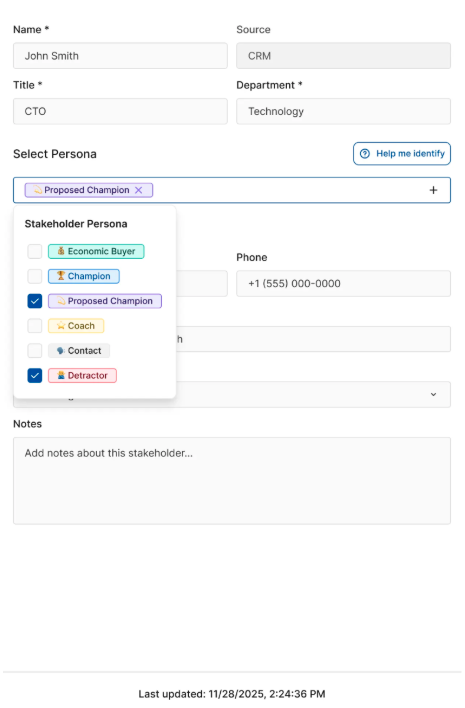
- Persona / role
- Relationships
- Stakeholder map visualization
Stakeholder Table
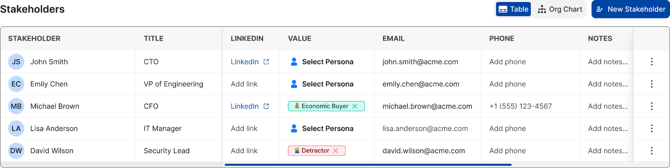
Stakeholder Information Panel