![meddicc-logo.svg]](https://meddicc.com/hubfs/website/images/vectors/meddicc-logo.svg)
Overview
Deals x Calls connects your recorded calls directly to your deal records. When you link a call to a deal, Winni, MEDDICC's AI, reads the transcript and generates a MEDDPICC-structured summary automatically. You can apply it to your deal notes in one click.
The result: less time on admin, more accurate deal records, and a pipeline that reflects what actually happened on your calls.
How it works
Step 1 - Link a call to a deal
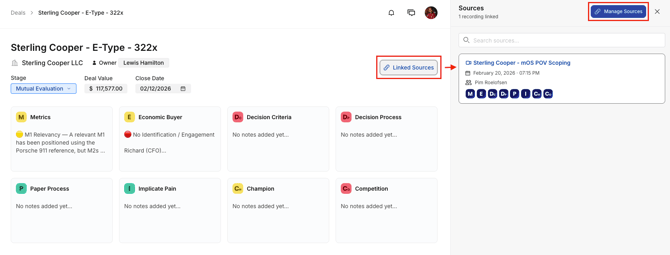
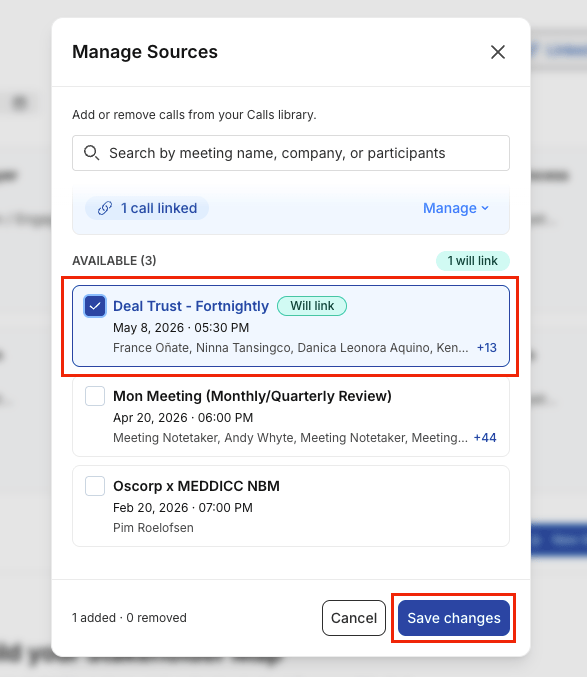
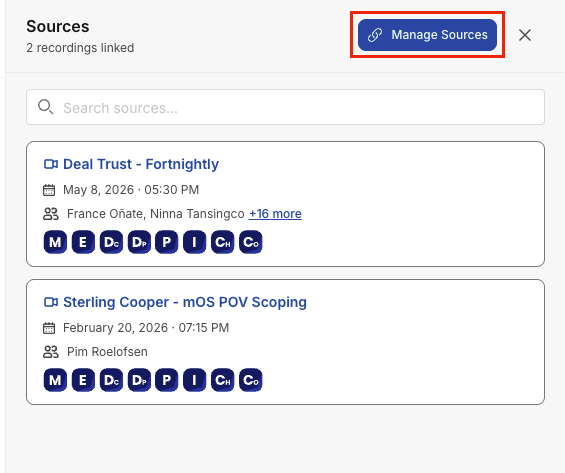
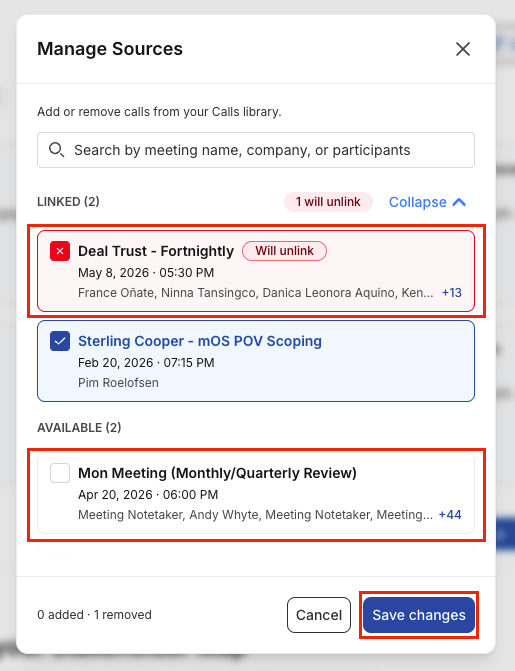
From your deal record, navigate to the Linked Sources section and select Link a Call. A list of your recorded calls appears. Select the call you want to associate with this deal and click Save changes.
The call appears in the sources panel of your deal record. You can link multiple calls to a single deal.
Step 2 - Winni generates a MEDDPICC summary
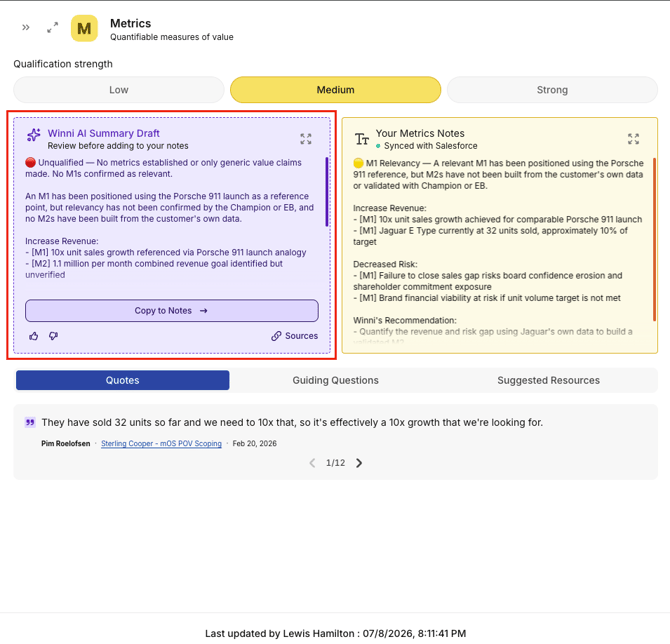
Once a call is linked, Winni reads the call transcript and produces a summary structured by MEDDPICC element, pulling out what was discussed about Metrics, the Economic Buyer, Decision Criteria, and so on.
The summary appears in a panel alongside your existing deal notes. You can review it before adding it to your notes.
Step 3 - Apply the summary to your deal notes
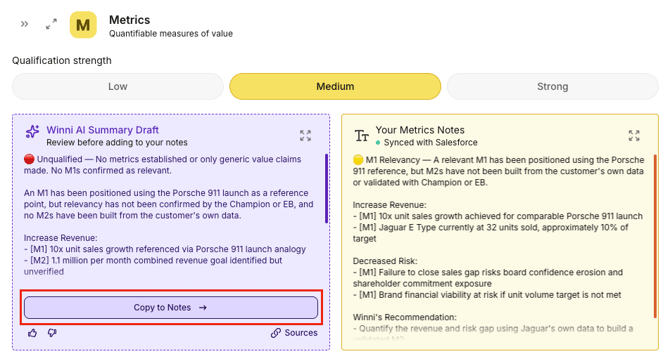
Copy to notes - Winni's summary is added beneath your existing MEDDPICC notes. Useful when you want to add to what you already have.
The whole process takes seconds.
With CRM sync
If your account is connected to your CRM, any updates to your MEDDPICC notes, including those generated by Winni, sync automatically to your CRM. No extra steps required.
Without CRM sync
Notes stay in MEDDICC Deals. You still get the full AI summary and can keep your deal record current, the only difference is updates do not push through to a CRM. To enable CRM sync, see Setting Up Your CRM Integration.
Managing linked calls
From the Linked Sources panel in a deal record, you can:
- Click on Manage Sources
- Link additional calls
- Unlink a call if it was associated incorrectly
Unlinking a call does not delete the call or the notes already applied from it.
Frequently asked questions
Who can link calls to a deal? Only the deal owner can link calls to deals.
Can I link a call to more than one deal? Yes. A single call can be linked to multiple deals if relevant content was discussed for more than one opportunity.
What if the AI summary is inaccurate? Winni's summaries are a starting point, not a final record. Review and edit any element before or after applying it to your notes. You are always in control of what goes into your deal record.
What languages are supported? Winni generates summaries from any language supported by the Calls transcription engine. Check Supported Languages in the Calls help articles for the current list.